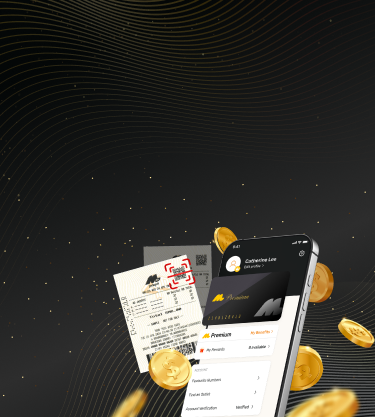
随时随地,尽在 Magnum PlayNow — 人人可用!

在前往销售店前,在应用程序中预先设定投注

再也不用担心忘记您的幸运号码

在 MyMagnum 4D 应用程序中即可使用 Magnum PlayNow

如何使用 Magnum PlayNow

1
轻触 PlayNow 图标
2
选择您要投注的游戏
3
输入号码及投注金额
4
保存投注详情,生成您的 PlayNow 二维码
5
前往 Magnum 专卖店出示电子投注单购买票根

如何使用 Magnum PlayNow

1
轻触 PlayNow 图标
2
选择您要投注的游戏
3
输入号码及投注金额
4
保存投注详情,生成您的 PlayNow 二维码
5
前往 Magnum 专卖店出示电子投注单购买票根

应用程序功能

提升您的 Magnum 体验,功能包括:

专属参与 M Premium 会员计划

储存您每款游戏的幸运号码或常用号码

扫描票根即时查知是否中奖

扫描票根可收集万能爱心 (Magnum Hearts),为社区贡献力量

将所有票根保存一起,方便随时查看

常见问题

查看更多
How do I download and install the MyMagnum 4D app?

MyMagnum 4D app is available on Google Play Store, Apple App Store and Huawei AppGallery. Download and install the MyMagnum 4D app, with the links below according to your device.


Google Play Store: https://play.google.com/store/apps/details?id=my.magnum.magnum4d


Apple App Store: https://itunes.apple.com/my/app/magnum-4d-live/id763361098?mt=8


Huawei App Gallery: https://appgallery.huawei.com/app/C100996155

How do I sign up to become a member?

Just select the “Sign up as new member” option once you are at the welcome screen. You may sign up via your mobile number or email address.


Via mobile number:

  1. Enter your name and mobile number. Only a Malaysian registered mobile number can sign up for an account.
  2. Enter the referral code, if any. This step is optional.
  3. Click on “Send OTP”.
  4. Input the 6-digit verification code sent to your registered mobile number.
  5. Set up a 6-digit pin number. You will use this pin number to log in during your future usage.
  6. Confirm your pin number and you’re all done!

Via email address:

  1. Enter your name and email address.
  2. Enter the referral code, if any. This step is optional.
  3. Set up your password following the guide on your screen. You will use this password to log in during your future usage.
  4. Input the 6-digit verification code sent to your email.
  5. You’re all done!
Help! I’ve forgotten my password / PIN!

"Don’t worry, it’s easy to reset your password/pin. Just follow the steps below:


Via mobile number:

  1. Input the mobile number you signed up with.
  2. Click on “Forgot PIN?”.
  3. Input the 6-digit verification code sent to your registered mobile number.
  4. Set up a new 6-digit pin number.
  5. Confirm your pin number.
  6. You have successfully set a new pin!

Via email address:

  1. Click on “Forgot your password?”.
  2. Input the email address you signed up with.
  3. Input the 6-digit verification code sent to your registered email.
  4. Set up a new password following the guide on your screen.
  5. You have successfully set a new password!
How do I scan my tickets?

To scan your Magnum 4D tickets with MyMagnum 4D app, just tap the “Scan” button at the bottom of your home screen.


If this is your first time scanning your ticket, the app will prompt you to enable camera access permission. Be sure to give permission when the pop-up appears. The next time you scan your tickets, it will automatically launch the camera.

qr code

升级成为 M Premium 让您的票根更值得

仅限 MyMagnum 4D 应用程序用户专享!

Live Chat